I tested about ten Mac teleprompter apps. Then I built my own.
By Zakaria Reziki · · 7 min read
Before I built Cuey, I downloaded and tested around ten Mac teleprompter apps: the ones that come up when you search for a teleprompter for Mac or MacBook. Many had long feature lists. But the one thing I needed most, a voice mode that follows what I say reliably enough to record with, didn't hold up in the apps I tried. So I built a simpler one. Cuey is a native macOS teleprompter that sits right under your camera and follows your voice.
What I was trying to do
I'm a product designer. When I started building on my own, I had to talk about what I was building: demos, updates, short videos to camera. I knew what I wanted to say. I still lost the words once recording started. The full story is on my founder page.
A teleprompter looked like the obvious fix. What I needed from one was short:
- The text close to the camera, so I look at the viewer, not at a script.
- Scrolling that keeps up with me, without me touching the trackpad mid-sentence.
- Room to breathe, pause and say a line differently from how I wrote it.
- Little setup. Paste a script, start talking.
The second point mattered most. Timed scrolling makes you match its speed. Manual scrolling means your hand, and your eyes, leave the take. A mode that follows your voice is the only one that lets you just talk.
How I tested
Nothing scientific. I used the same script on the same MacBook for every app, and ran each one the way I'd actually record:
- Voice mode on, where the app had one.
- Pauses. Stop mid-paragraph, breathe, carry on.
- Ad-libs. Say a sentence in my own words, then come back to the script.
- Placement. Could I get the text near the camera, and would it stay there above my recording app?
- Time to get started. From opening the app to reading my first line.
That's one person, one Mac and one kind of video. Your setup may give different results.
The Mac teleprompter apps you'll find
I didn't keep a list of exactly which apps I installed, and I don't remember which app had which problem. So this is not a scorecard. It's the set that ranks today for the same searches I ran, with what each maker says about its own app. I checked every row on the maker's site or App Store listing on 29 September 2026. Prices change.
| App | How it runs on a Mac | Advertises voice scrolling | Advertised placement | Price listed (Sept 2026) |
|---|---|---|---|---|
| Teleprompter.com | Native, macOS 12+ (also iPhone, iPad) | Yes (VoiceGlide) | Multiple windows, incl. mirror and external display | Free download; Pro from $4.99/week to $89.99/year |
| Teleprompter Pro+ (formerly Teleprompter Premium) | Native, macOS 12+ | Not listed | Floating window above other apps | Free download; Pro $59.99/year or $159.99 once (pricing) |
| Teleprompter by Pavonine | Native, macOS 10.14+ | Yes (Voice Control, macOS 10.15+) | Script moved closer to the webcam when recording; adjustable opacity | Free download; full app $39.99 in-app |
| PromptSmart Pro | iPad app on Apple silicon Macs (“Designed for iPad”) | Yes (VoiceTrack) | “Selfie Mode” keeps text next to the camera | $29.99, plus in-app purchases |
| Speakflow | Browser, plus a Mac desktop app | Yes (Flow mode; limited on Free) | Overlay above other apps (desktop app) | Free; Plus $19/month; Studio $129/month |
| Textream | Native, macOS 15+ | Yes (word tracking) | Overlay below the notch, or floating always-on-top window | Free, open source |
| Notchie | Native, macOS 14.6+ | Yes (“scrolls when you speak”) | Notch area, near the camera | $29.99 one-time |
| NotchPrompter | Native, macOS 14.6+ | Yes (voice activation) | Notch, custom position, floating always-on-top | $4.99 one-time |
| VoicePrompter | Native, macOS 15+ | Yes (voice scrolling) | Window that can follow your cursor | Free (3 scripts); Pro $3.34/month; Lifetime $99.99 |
| QPrompt | Desktop app for macOS, Windows, Linux | Not listed on its site | Adjustable reading area; semi-transparent background | Free, open source (GPLv3) |
For a feature-by-feature pick for your MacBook, including where Cuey fits, see the best teleprompter app for MacBook comparison. Side-by-side pages: Cuey vs Notchie, Cuey vs Teleprompter Pro+ and Cuey vs Teleprompter.com.
What kept going wrong for me
Across the apps I tried, the features were rarely the problem. Most had more than I needed: fonts, mirroring, remotes, cloud sync, recording. The problem was the one thing I opened them for. In my testing, voice scrolling fell into a few patterns:
- It lost my place. I'd pause to breathe and the text kept moving, or I'd rephrase a sentence and it jumped somewhere else.
- It stalled. I kept talking and the text stopped. I'd end up reading ahead of the prompt, or waiting for it.
- It needed babysitting. Sensitivity settings, a hand on the trackpad just in case, a quick glance at the controls. At that point I was managing the teleprompter instead of talking to the camera.
- Getting to the first line took too long. Windows, settings and options before I could just paste and talk.
I don't remember which of these came from which app, and it's not fair to guess. What I took away was the pattern: reliable voice following is hard, and it's the part that decides whether you can record in one take.
What I built instead
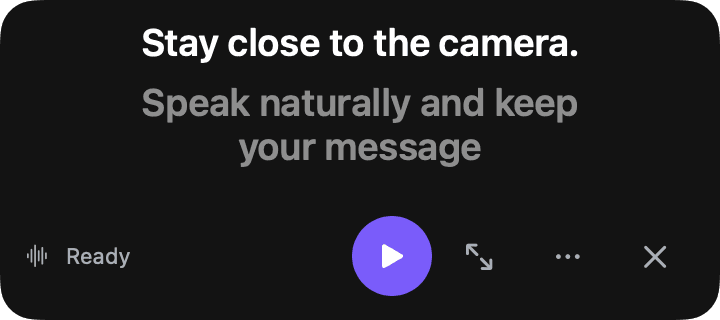
I built Cuey around the main job working, and everything else staying out of the way. Cuey is a native macOS teleprompter for macOS 14 Sonoma or later. It lives in the menu bar and puts your script right under the camera.
- Follow mode. Voice Follow listens through Apple speech recognition, matches your words to the script, and advances when you reach the next line. If you pause or ad-lib, it waits.
- Placement near the lens. Notch, Under Camera (the default), Left or Right of Camera, or Floating anywhere on screen.
- Menu bar, short path. Copy a script, press ⇧⌘V to paste it, ⇧⌘P to start. After a 3-second countdown, talk.
- Two other modes when you need them. Read scrolls on a timer. Notes lets you step through talking points yourself.
- Private by default. Cuey doesn't store audio or transcripts. If on-device recognition isn't available for your language, Apple's service may process the audio.
Cuey has a Free version with Read and Notes modes and every placement. Voice Follow is part of Cuey Pro, $29 once, and you can try everything for 2 days. Cuey doesn't hide itself from screen sharing: it's never in your camera feed, but share a single window rather than your whole screen.
When another app is the better choice
My testing happened before I built Cuey. Apps get updated, and some on this list may have improved their voice modes since, or launched after I looked. And Cuey is built for one setup: reading to your Mac's own camera. Another app will suit you better if:
- You use a glass teleprompter rig. You'll want mirrored text and remote control. Cuey doesn't mirror.
- You record on an iPad or iPhone. Cuey is Mac-only.
- You must share your entire screen. Some apps say they hide from screen capture. Cuey doesn't, yet.
- You're on an older Mac. Cuey needs macOS 14 or later; some apps above support older versions.
Whatever you pick, test voice scrolling with a real script. Pause, ad-lib, then see if the prompt is still where you are. That test told me more than any feature list.