Teleprompter for MacBook notch: read your script right under the camera
By Zakaria Reziki · · 4 min read
Looking for a teleprompter for MacBook notch displays? The notch is the best landmark on your screen for a script: the camera sits inside it, so text placed right beneath it keeps your eyes almost on the lens. Here's which MacBooks have one, why that spot matters, and how to set it up.
Why the notch is the right place for a teleprompter
Viewers perceive the strongest eye contact when you look about 2° below the lens, not straight into it (Gao et al., 2025). At a typical 55 cm from the screen, that's about 1.9 cm. On a 14-inch MacBook Pro, the centre of the screen sits roughly 10 cm below the camera, around 10°, which reads on video as looking down. More on the research in where to look on a video call.
On a notched MacBook, the camera is in the middle of the housing, and the menu bar runs either side of it. The notch itself has no pixels, so nothing can display inside it. The first row of usable screen right below it is as close to the lens as text can get.
What doesn't work:
- Script in a notes app or document mid-screen: about 10° low.
- Script in the top corner of the screen: close vertically, but your eyes move sideways, which viewers notice more.
- A tall window under the notch: the first lines are fine, the last ones are back at mid-screen.
Which MacBooks have a notch?
Apple says the MacBook Air with Liquid Retina display and the MacBook Pro with Liquid Retina XDR display have a camera housing built into the screen bezel. In practice:
| Model | Notch? | Cuey placement |
|---|---|---|
| MacBook Pro 14-inch and 16-inch (2021 and later) | Yes | Notch or Under Camera |
| MacBook Air 13-inch (M2, 2022 and later) | Yes | Notch or Under Camera |
| MacBook Air 15-inch (2023 and later) | Yes | Notch or Under Camera |
| MacBook Air with M1 or earlier, 13-inch MacBook Pro | No | Under Camera |
| External display with a webcam | No | Under Camera or Floating |
Cuey's Notch placement
Cuey is a teleprompter for Mac built around this spot. With the Notch placement, the prompt sits at the top of the screen, centred on the camera housing, in a compact window that stays above your other apps.
Notch sizes differ between the 13-, 14-, 15- and 16-inch models. Rather than hard-coding them, Cuey reads the geometry macOS reports for the display (the safe area at the top and the usable space either side of the camera housing) to find the camera's centre. That's how the prompt lines up with the lens on each notched MacBook.
 9:41
9:41Here's what we shipped this week.
Pair it with Follow mode (Voice Follow): Cuey listens through the microphone, matches your words to the script, and moves on when you reach the next line. Pause or ad-lib and it waits for you to come back to the script.
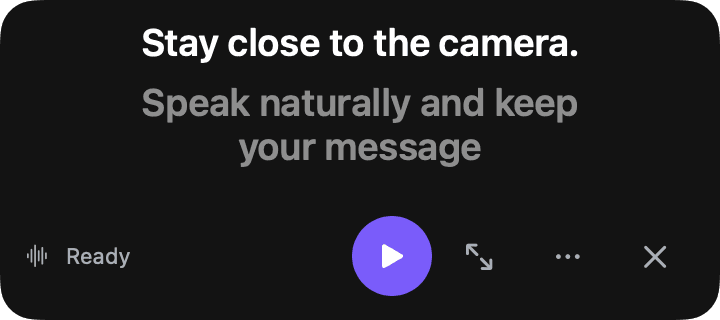
Set up a MacBook notch teleprompter in 3 steps
- 1
Paste your script
Copy your script and press ⇧⌘V to quick-paste it into Cuey. - 2
Choose the Notch placement
In Cuey's settings, set Camera placement to Notch (the prompt's … menu lists it as Top Center under Position). Keep the size on Compact. - 3
Start reading
Press ⇧⌘P to start. After a 3-second countdown, read in Follow, Read or Notes mode. ⌥⌘Space plays and pauses.
Check the result before a real call. Record 20 seconds in Photo Booth while reading from the prompt and play it back. Your eyes should sit just under the lens. If they drift low, make the prompt window shorter so fewer lines show, or move back from the screen a little.
Macs without a notch
The idea doesn't depend on the notch. On a MacBook without one, the camera still sits at the top centre of the bezel, so choose Under Camera (Cuey's default). On an external display with a webcam at the top centre, Under Camera lines the prompt up with the top centre of the screen it's on; if the webcam is off-centre, drag the prompt under it and Cuey switches to Floating. The MacBook camera teleprompter guide covers every placement and size.