How to read a script for TikTok and Reels without looking down
By Zakaria Reziki · · 7 min read
Short-form video is less forgiving of a downward glance than a long YouTube video, because there's no context to recover in: viewers decide to keep watching in the first few seconds. Two things fix the "reading" look: a script written to be said, not read, in a hook-body-CTA shape, and a script placed within a couple of centimetres of whichever lens is actually recording.
Two different setups, depending on what's filming
Most advice about reading scripts on camera assumes one setup: a person at a desk with a laptop. Short-form creators often work from one of two different rigs, and the right placement for your script depends on which one:
| Setup | What's actually recording | Where the script goes |
|---|---|---|
| Filmed on a Mac (portrait crop or an app that records vertically) | The MacBook's built-in camera | Directly under the camera, at the top of the screen |
| iPhone via Continuity Camera, on a Mac | The iPhone's rear camera, mounted above the display | Just below the phone mount, still on the Mac screen |
| Filmed directly on the phone, held or on a phone tripod | The phone's own camera | Cue cards or a phone-based prompter taped right behind the lens |
If you're editing and posting from a Mac but recording on the phone itself, the placement rule still points at the phone, not the laptop; the device with the lens is what your eyes need to be near.
Write in three blocks: hook, body, CTA
A script formatted as one paragraph is hard to read from a small screen without your eyes sweeping. Break it into three short blocks instead, each short enough to fit on one line of a narrow prompt.
| Block | Length | Job |
|---|---|---|
| Hook | Under 3 seconds (~8–10 words) | State the outcome or the surprising claim first |
| Body | 15–45 seconds | One idea, explained simply, in short sentences |
| CTA | 2–5 seconds | One specific action: follow, comment, save, click the link |
Cut the throat-clearing intro entirely, "hey guys, welcome back," costs you the first three seconds where most of the drop-off happens. Start with the hook line itself.
Reading vs. memorizing a short script
For a 20–60 second video, a tightly written script is short enough to memorize after two or three read-throughs, and memorized delivery often looks the most natural of all, since nothing on set is competing for your eyes. The trade-off is time: memorizing works for occasional posts, but slows you down if you're posting daily. Reading from a prompt placed correctly at the lens closes most of the gap and scales to a daily posting schedule.
Editing choices that reduce how much reading shows
Delivery and placement do most of the work, but a few editing habits common in short-form video also help disguise the small amount of eye movement that remains even with a good setup:
- Jump cuts between blocks. A hard cut at the boundary between hook, body and CTA hides the brief reset in your eyes as you move to the next block, since viewers' attention resets at the cut too.
- On-screen text for the hook line. Captioning the hook doesn't just help silent viewers; it also means the words are reinforced twice, so a slightly less polished read of that line still lands.
- B-roll or a zoom-in over the body section. If the body block runs long, a brief cutaway removes the need for a single unbroken take of you reading, which is where eye movement is most visible.
When a Mac-based setup makes sense
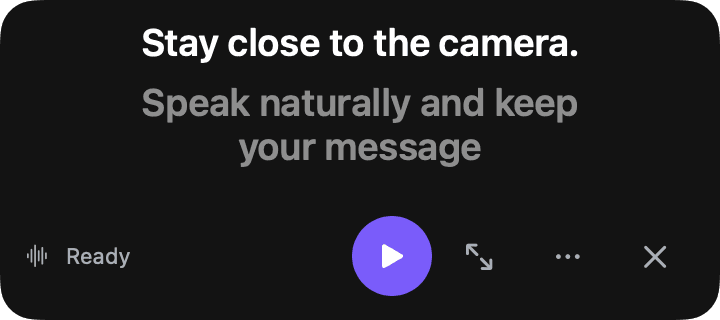
If you record vertical video from your desk, through the MacBook camera directly or an iPhone connected with Continuity Camera, Cuey works the same way it does for any recording: paste the script with ⇧⌘V, choose Follow mode so it advances as you say each block, and place it Under Camera for the MacBook lens or Floating next to a mounted iPhone. For a full breakdown of Continuity Camera setup and requirements, see MacBook camera eye contact. For the underlying reading technique, longer or short, how to read a script without looking like you're reading covers the mechanics in more depth.
Does the platform change anything?
The reading technique is the same across TikTok, Instagram Reels and YouTube Shorts, since all three are vertical, sound-on, fast-hook formats watched the same way. A few small differences are worth knowing:
| Platform | Format note | What it means for your script |
|---|---|---|
| TikTok | Auto-generated captions are commonly on by default | Check that your script reads fine as on-screen text, not only spoken aloud |
| Instagram Reels | Cross-posts easily to Stories | The hook needs to land in the first frame there too, with sound often off |
| YouTube Shorts | Allows longer runtimes than the other two | A longer limit doesn't mean a longer video helps; the hook rule still applies |
None of that changes where your script needs to sit or how it should be written. Match your length to what the specific video needs, not to a platform maximum, and treat the eye-contact setup as a constant across all three.
Summary
- Hook in under 3 seconds; cut the throat-clearing intro entirely.
- Write hook, body and CTA as three short blocks, not a paragraph.
- Match your script placement to whichever lens is actually recording: MacBook, Continuity Camera iPhone, or the phone itself.
- Memorize short scripts occasionally; read from a close prompt when you're posting often.