How to make a video resume without sounding scripted
By Zakaria Reziki · · 7 min read
A video resume sounds scripted for the same two reasons any short on-camera video does: the wording is too formal, and your eyes are visibly reading something that isn't near the camera. Fix the wording by writing only your opening line and your closing ask word for word, and telling your one example from three or four keywords. Fix your eyes by keeping those keywords in the strip directly under the lens instead of on a page in your lap.
The three-part structure
Career-advice guides generally agree a video resume should be short and cover who you are, an example of your work, and what you want next. The part most advice skips is how to deliver that structure without reading it. Split each part into what needs exact wording and what doesn't:
| Part | Script it | Speak from keywords |
|---|---|---|
| Who you are (5–10s) | Your opening line, name and current role | — |
| One story (30–50s) | — | Situation, action, result, a number if you have one |
| The ask (10–15s) | Exactly what role or opportunity you want | — |
That's the same split that works for a fundraising pitch video: script the lines that must land exactly, and let the middle come out differently each time you say it, which is what makes it sound like you talking rather than you reading.
Why 60–90 seconds, not longer
A video resume competes with a stack of other applications, and hiring managers decide fast. At a conversational 150 words per minute, 90 seconds is about 225 words, tight enough that you have to cut to your best single example instead of listing three. If you're tempted to cover more, that's usually a sign to pick a stronger story, not a longer video. Check your draft in the speaking time calculator before you record.
Why it still sounds read even when you know it well
Most video-resume advice treats "sounding scripted" as a rehearsal problem: practice more, find your natural tone. Rehearsal helps the wording, but the more visible tell is where your eyes go. Viewers perceive eye contact when you look about 2° below the camera; a printed script on the desk, notes in your lap, or a second monitor off to the side are all far outside that range, and the eye movement reads clearly on a static, single-shot recording like a resume video. The full geometry is in where to look on a video call.
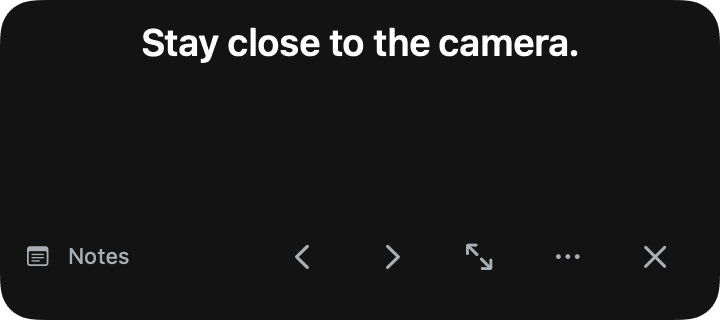
The fix is the same as it is for any short scripted recording: put your keyword prompts, not full sentences, in the strip directly under the camera, close enough that checking them barely moves your eyes.
The recording setup
- Light your face, not the room. A window in front of you, not behind, is usually enough.
- Raise the laptop to eye level so the camera isn't looking up at you. See MacBook camera eye contact for the setup steps.
- Record in a quiet room and check your audio with a 10-second test before the real take.
- Frame from mid-chest up, eyes roughly a third of the way down the frame.
- Record two or three full takes, then pick the one with the best energy rather than the most polished wording.
Using Cuey to record it
Cuey fits this two-part script directly: paste your opening line and ask as a Follow-mode script that scrolls as you speak it, and your story's keywords as a Notes-mode script you step through with the arrow keys. Both sit in the same strip under the camera, so switching between the memorized story and the exact lines doesn't show on camera. If the video resume leads into an actual interview, notes in a video interview covers what to bring to the next stage.
Framing, dress and background
None of these fix a scripted-sounding delivery, but a hiring manager notices them within the first two seconds, before your script has said anything:
- Dress slightly above what the role's day-to-day calls for. A collared shirt for most office roles; whatever's standard on-site for hands-on roles. Consistency with the industry reads as fit, not formality.
- Keep the background simple. A plain wall or tidy shelf. Avoid anything that competes with your face for attention, including a window directly behind you, which will silhouette you against the light.
- Frame from the collarbone up, centered. Leave a small gap above your head; don't crop it tight.
- Check your camera height so it isn't shooting up your chin. Raise the laptop on a stack of books if you're on a built-in webcam.
These take five minutes to set up once and apply to every take you record after, so it's worth doing before your first run-through rather than after you've already recorded a version you like the delivery on.
Summary
- 60–90 seconds: who you are, one story, the ask.
- Script the opening and the ask; tell the story from three or four keywords.
- Keep those keywords in the strip under the camera, not on a page off to the side.
- Two or three full takes, pick for energy over polish.